

Prop firm server time is the time zone used by the firm’s trading infrastructure or platform to timestamp and process trading activity. It can differ from a trader’s local time. When daily loss or drawdown rules depend on a defined trading day, knowing the applicable server/reset time helps traders understand when that period actually begins and ends.
Consider a situation that catches hundreds of prop firm traders off guard every month:
A trader finishes an active trading session with an accumulated loss of $4,700 on a $100,000 account that has a strict $5,000 maximum daily loss limit. They look at the clock on their desktop or smartphone. It reads 12:15 AM. The calendar date has turned over to a new day in their local timezone.
Believing their daily drawdown has refreshed back to zero, they spot a fresh market setup and execute a trade. The position moves against them, hitting their stop loss for an additional $600 loss. Moments later, their terminal disconnects, their open orders vanish, and an email arrives: Account Terminated — Maximum Daily Loss Rule Breached.
What happened? The trader’s local clock had moved past midnight, but the prop firm’s trading server was operating three, five, or ten hours behind. To the firm’s automated risk engine, it was still the same trading day. The $4,700 loss from earlier and the new $600 loss were combined into a single $5,300 daily loss, breaching the $5,000 threshold.
Understanding prop firm server time is not an academic exercise in geography. It is a critical component of risk management that dictates the exact moment your daily risk allowance resets.
What Is Prop Firm Server Time?
Prop firm server time is the internal clock configured on the broker or platform server where your orders are routed, matched, and recorded. Every trade execution, order modification, stop-loss trigger, and rollover fee is stamped with this timestamp.
Trading platforms like MetaTrader 4 (MT4), MetaTrader 5 (MT5), cTrader, and DXtrade display this server time directly in their market quote panels. Crucially, the time shown on the trading server rarely matches:
- Your local computer clock
- Universal Coordinated Time (UTC)
- New York time (EST/EDT)
- London time (GMT/BST)
- Indian Standard Time (IST)
Prop firms deploy their server architecture across various global data centers, frequently selecting time zones that align with major financial market closings or specific European and American business hours.
Why Does Server Time Matter for Daily Drawdown?
Every proprietary trading firm that enforces a Maximum Daily Loss limit must establish a precise mathematical boundary for what constitutes a “trading day.”
Without a defined start and end point, an automated risk engine cannot calculate:
- When the previous day’s accumulated losses are archived
- When your daily drawdown buffer refreshes to its baseline
- The starting balance or starting equity benchmark used to measure that day’s performance
- Whether a specific trade counts toward today’s quota or yesterday’s quota
- Whether minimum trading day requirements have been satisfied
If you trade under the assumption that the trading day aligns with your local sunrise and sunset, you will inevitably miscalculate your remaining drawdown buffer.
Server Time vs Local Time: The Core Distinctions
A major source of confusion among traders is assuming that “time” in trading refers to a single shared clock. In reality, multiple distinct time references operate simultaneously:
| Time Reference | Definition | Role in Prop Trading |
|---|---|---|
| Local Time | Your physical geographic time zone (e.g., IST, AEST, PST). | Dictates your personal routine, but completely ignored by risk engines. |
| UTC (Universal Time) | The primary global time standard without daylight saving adjustments. | Used as a neutral baseline to calculate offsets. |
| Broker / Server Time | The internal clock of the MT4/MT5/cTrader server. | Timestamps order execution, chart candles, and history logs. |
| Prop Firm Reset Time | The specific time defined in the firm’s rules when daily metrics reset. | The single most important clock for calculating daily drawdown. |
| Exchange Time | The opening and closing hours of a physical exchange (e.g., NYSE, CME). | Governs instrument liquidity, session breaks, and market gaps. |
Notice that Broker/Server Time and Prop Firm Reset Time are often identical, but they do not have to be. Some prop firms run their trading servers on GMT+2, yet calculate their daily drawdown reset based on 00:00 CE(S)T or 17:00 New York time. Verifying how your firm defines this boundary is essential.
How a Daily Drawdown Reset Works
To understand the mechanics, observe how an account transitions across a daily reset point:
The Daily Reset Sequence:
- Trading Day A Begins: The server registers your baseline starting value (either starting balance or starting equity). Daily loss threshold is set (e.g., baseline minus 5%).
- Intraday Activity: Realized trades and open floating losses are tracked continuously against that baseline.
- Designated Reset Moment Reached: The platform or dashboard reaches the exact second specified by the firm (e.g., 00:00:00 Server Time).
- Snapshot Taken: The risk engine evaluates the final status of Trading Day A. If no breach occurred, Day A is closed.
- Trading Day B Initiated: A new baseline is recorded, establishing a fresh daily loss threshold for the next 24 hours.
The reset point is determined entirely by the firm’s proprietary risk engine rules, not by general trading conventions.
Can the Daily Drawdown Reset at a Different Time Than Midnight?
Yes. Many traders assume that every daily reset occurs at 00:00 (midnight). However, several major brokerages and prop firms configure their trading cycles around the New York 5:00 PM close (17:00 EST/EDT).
In global interbank forex markets, 5:00 PM New York is widely considered the end of the global trading day because it coincides with the daily settlement of foreign exchange transactions and overnight rollover (swap debiting). As a result, many platforms set their daily candles and reset protocols to align with this 5:00 PM New York window rather than midnight.
For a trader located in Los Angeles, a 5:00 PM New York reset occurs at 2:00 PM in the afternoon. For a trader in London, it occurs at 10:00 PM. Assuming that your daily drawdown refreshes at midnight will lead to disastrous timing errors.
Why India Time (IST) Can Create Confusion for Traders
Indian Standard Time (IST) is UTC+5:30. Because India does not observe Daylight Saving Time (DST), the time difference between an Indian trader’s clock and a prop firm’s server changes twice every year.
Consider how this offset behaves across different seasons:
- When European servers operate on Central European Time (CET, UTC+1 in winter): Prague midnight (00:00 CET) corresponds to 4:30 AM IST the following morning.
- When European servers switch to Central European Summer Time (CEST, UTC+2 in summer): Prague midnight (00:00 CEST) shifts to 3:30 AM IST.
- When US-based servers operate on Eastern Standard Time (EST, UTC-5 in winter): A 5:00 PM New York reset occurs at 3:30 AM IST.
- When US-based servers operate on Eastern Daylight Time (EDT, UTC-4 in summer): A 5:00 PM New York reset shifts to 2:30 AM IST.
If an Indian trader assumes that their prop firm always resets at 4:30 AM IST, that assumption becomes dangerous the moment international clocks spring forward or fall back. During those transition periods, a trade taken at 3:45 AM might be registered under yesterday’s risk allocation rather than today’s.
Daylight Saving Time and Prop Firm Server Time
Daylight Saving Time (DST) represents one of the highest-risk calendar windows for server-time confusion.
The primary complication stems from the fact that different countries change their clocks on different dates:
- The United States typically changes its clocks on the second Sunday of March and the first Sunday of November.
- The European Union and the United Kingdom typically change their clocks on the last Sunday of March and the last Sunday of October.
- Regions such as India, Singapore, the UAE, and Japan do not observe DST at all.
During the “gap weeks” in March and October/November, the time difference between New York and London narrows from five hours to four hours, and the difference between European servers and Asian/Middle Eastern traders shifts by an entire hour.
If your prop firm bases its daily reset on a European or American timezone, your local reset time will shift by 60 minutes twice a year. Failing to adjust your schedule during these transition weeks can result in taking trades under an exhausted daily drawdown limit.
Can Server Time Cause a Prop Firm Breach?
A clock cannot generate a trading loss on its own. Server time itself does not cause a breach.
However, misunderstanding server time causes traders to make catastrophic position-sizing and timing errors that trigger hard breaches. When a trader misjudges the reset window, they trade under the false impression that their risk limit has been restored to 100%.
The breach is executed by the firm’s risk engine based on actual market losses, but the error that permitted those losses to breach the account was an operational timing mistake.
Example: Daily Drawdown Reset Confusion in Action
The following scenario illustrates how quickly server-time confusion results in account termination:
Scenario: The Premature New-Day Trade
- Account Starting Balance: $100,000
- Maximum Daily Loss Limit (5%): $5,000 (Daily Floor: $95,000)
- Accumulated Losses During the Day: -$4,700
- Remaining Daily Buffer: $300
- Trader’s Local Time: 12:10 AM (Tuesday morning)
- Prop Firm Server Time: 21:10 (Monday night — 2 hours and 50 minutes before reset)
- Trader’s Action: Believing it is Tuesday, the trader enters a trade risking $600.
- Trade Outcome: Stopped out for -$600.
- Total Recorded Daily Loss: -$4,700 + -$600 = -$5,300
- Result: Hard breach of the $5,000 daily limit. Account terminated immediately.
Had the trader waited three hours until the actual server reset occurred, the $4,700 loss would have been locked into Monday’s ledger. Tuesday’s trading day would have commenced with a fresh $5,000 daily allowance (calculated from the new $95,300 balance), and the $600 loss would have left $4,400 of safe buffer remaining.
The trade setup was identical; the execution timing was fatal.
Balance vs Equity at the Daily Reset
When the daily reset occurs, how does the firm determine your new baseline? This depends heavily on whether your firm uses a balance-based or equity-based daily loss model.
Two distinct calculation models exist across the proprietary trading industry:
1. Balance-Based Daily Reset
The firm measures the new day’s 5% limit strictly against the closed cash balance recorded at the moment of reset. If you have open floating profits or losses, they are ignored for the starting benchmark, though closed losses during the subsequent day will apply.
2. Equity-Based Daily Reset
The firm measures the daily limit against your account equity (Balance + Floating P/L – Fees) at the exact moment of the reset, or against whichever figure is higher (Balance vs Equity). If you hold an open trade that is floating in profit by +$3,000 at the reset, your baseline for the new day jumps upward, creating a higher floor.
Conversely, if you carry a negative floating trade across the reset, that floating loss may immediately consume a large portion of your brand-new day’s buffer. To understand how firms evaluate live positions against cash figures, read our guide on prop firm equity vs balance: which one determines your breach.
What Happens to an Open Trade at the Daily Reset?
Carrying open positions across the daily reset point introduces unique risk dynamics that many traders overlook:
- The Position Stays Open: The daily reset does not automatically close your market orders unless your specific account type prohibits overnight holding.
- Floating P/L Carries Over: The unrealized gain or loss continues to tick in real time.
- Benchmark Recalculation: Under equity-based models (such as FTMO), the starting reference point for the new day is established using whichever is higher between the starting balance and starting equity at the reset instant.
- Spread Widening Impact: The reset window frequently coincides with the daily market rollover (5:00 PM New York), a period when liquidity providers widen spreads significantly. A position carrying a -$1,000 loss can suddenly display -$1,800 due to spread expansion right as the daily baseline is being recorded.
For a detailed breakdown of how open floating positions interact with automated risk rules, see can an open trade breach your prop firm account.
Does the Daily Loss Limit Reset When the Clock Hits Midnight?
Not necessarily. It resets when the clock hits the firm’s designated reference time, which may or may not be midnight.
Even when a prop firm states that its daily loss resets at “midnight,” you must confirm:
- Midnight in which timezone? (e.g., 00:00 CE(S)T, 00:00 UTC, 00:00 Server Time?)
- Does the trading platform clock match the dashboard clock?
Some firms host their trading servers on GMT+2/GMT+3 (to maintain five 24-hour daily candles per week), but their trader dashboard and risk calculations reset at 00:00 UTC. Never assume that local midnight, platform midnight, and dashboard midnight are the same event.
How to Find Your Prop Firm’s Server Time
Follow this systematic procedure to identify and verify the exact server and reset times for your account:
- Inspect MetaTrader Market Watch: Open MT4 or MT5. Look at the top of the “Market Watch” window. The digital clock displayed there is the platform’s live server time.
- Calculate Server vs Local Offset: Compare the Market Watch clock with your local clock to determine your exact hour difference (e.g., “Server is 3 hours behind my local time”).
- Review Official FAQ / Rules Documentation: Search the prop firm’s official knowledge base for terms like “daily loss reset,” “trading day,” or “server time.”
- Inspect the Trader Dashboard: Log in to your firm’s account dashboard. Most modern firms provide a countdown timer showing hours, minutes, and seconds until the daily drawdown resets.
- Cross-Check Instrument Specification: In MT4/MT5, right-click any major forex pair (e.g., EURUSD) and select “Specification” to view session trading hours.
- Confirm via Support Ticket: If the documentation contains ambiguous wording like “resets at midnight,” submit a support query asking: “At what exact time and in which specific timezone does the daily loss limit reset for my account?”
- Document the Answer: Keep a record of the confirmed timezone and re-verify it whenever seasonal time changes occur.
MT4 Server Time vs MT5 Server Time
Both MetaTrader 4 and MetaTrader 5 display server time based on the configuration chosen by the broker or prop firm’s infrastructure provider. Neither platform allows the retail trader to manually alter the displayed server clock.
However, operational differences exist between the two environments:
- Candle Formation: Most CFD brokers configure both MT4 and MT5 to GMT+2 (winter) / GMT+3 (summer). This specific offset is widely adopted across the retail trading industry because it aligns the platform’s 00:00 with the 5:00 PM New York market close. Doing so creates exactly five 24-hour daily candles per week, eliminating the awkward “Sunday candle” that occurs on pure GMT servers.
- Multi-Server Synchronization: Larger prop firms utilize multiple server clusters (e.g., Demo 1, Demo 2, Live Server). Ensure you are checking the server time of the specific server hosting your account credentials, as secondary servers can occasionally operate on distinct offsets.
TradingView Time vs Prop Firm Server Time
Many modern traders conduct their chart analysis on TradingView while executing trades on MT4, MT5, or proprietary web platforms. This creates a dangerous visual trap.
TradingView allows users to change their chart timezone to virtually any global city via the settings panel at the bottom right of the screen. If your TradingView chart is set to your local time (e.g., UTC-5 New York), daily session breaks, vertical day separators, and daily candles will appear at your local midnight.
If your prop firm’s server operates on CE(S)T or GMT+3, your execution platform’s day will close several hours before or after the daily candle shown on your TradingView chart. Never rely on TradingView’s visual day separators to determine whether your prop firm’s daily drawdown has refreshed.
How Server Time Affects News Trading
Prop firms that restrict news trading frequently define restricted windows around major macroeconomic releases (such as NFP, CPI, or FOMC meetings). These rules typically state that trades cannot be opened or closed within a defined window — for example, two minutes before to two minutes after the announcement.
Economic calendars (such as Forex Factory or Investing.com) automatically detect your computer’s local timezone. A trader viewing a CPI release scheduled for 6:00 PM locally might glance at their MT5 terminal, see a server timestamp of 14:30, and become confused about whether the restriction window is active.
When automated risk systems audit news compliance, they evaluate the server timestamp on your trade ticket against the official release time. For a complete guide on how execution conditions behave during these windows, read how prop firms handle slippage during high-impact news and review our analysis on can stop loss slippage cause a prop firm violation.
Server Time and Overnight Swap Fees
Overnight financing fees (swaps) are debited or credited when a position is held past the daily market rollover. This rollover occurs universally at 5:00 PM New York time across global liquidity providers.
If your prop firm’s daily drawdown reset also takes place at 5:00 PM New York, swap deductions and your daily loss reset occur simultaneously. However, if your firm resets at 00:00 CE(S)T (which occurs six hours before the New York rollover), your account will experience two separate balance/equity adjustments every evening:
- The daily drawdown reset occurs at European midnight.
- Swap fees are debited several hours later during the New York rollover.
Because swap fees reduce equity directly, an unexpected swap charge incurred shortly after the daily reset can immediately eat into your new day’s loss buffer. Read our focused investigation on can swap fees trigger a prop firm drawdown and learn how trading costs impact risk in does commission count toward prop firm drawdown.
Furthermore, during that same rollover period, interbank liquidity thins dramatically, causing bid-ask spreads to blow out. This spread expansion can temporarily compress equity, as detailed in can spread expansion cause a prop firm breach.
Server Time and Trading-Day Boundaries
Many evaluation challenges enforce a “minimum trading days” rule (e.g., minimum 4 or 5 days traded to pass Phase 1). A trading day is not credited based on calendar dates in your home country.
If you open a position at 11:45 PM local time and close it at 12:15 AM local time, you might assume you have traded on two distinct calendar days. If both of those executions took place between 19:45 and 20:15 on the prop firm’s server, the firm’s system records only a single trading day.
To register a valid trading day, orders must be opened or held across the boundary of the firm’s official server day.
What If the Prop Firm’s Server Time Changes?
Prop firms rarely change their base timezone arbitrarily. However, changes can and do occur under specific circumstances:
- Biannual DST Transitions: The server’s GMT offset shifts by one hour in spring and autumn.
- Broker or Bridge Migrations: If a prop firm transitions from one liquidity provider or brokerage partner to another, the underlying server architecture and reset schedule may change.
- Platform Updates: Adding alternative platforms (such as migrating from MT5 to cTrader or TradeLocker) often introduces different server timing.
When policy or technical updates occur, firms update their terms of service. For advice on handling shifts in trading parameters, see what happens if your prop firm changes rules after purchase.
How to Calculate Your Time Difference
Use this basic formula to calculate the offset between your operating environment and the prop firm:
Server Time − Local Time = Time Difference
To demonstrate how global offsets interact, the table below provides representative reference comparisons across major trading hubs during standard winter time:
| City / Region | Standard Timezone | Local Time When Server Is at 00:00 (Midnight) CE(S)T | Local Time When Server Is at 17:00 (5 PM) New York |
|---|---|---|---|
| New York | EST (UTC-5) | 6:00 PM (Previous Day) | 5:00 PM |
| London | GMT (UTC+0) | 11:00 PM (Previous Day) | 10:00 PM |
| Prague / Berlin | CET (UTC+1) | 00:00 (Midnight) | 11:00 PM |
| Dubai | GST (UTC+4) | 3:00 AM | 2:00 AM (Next Day) |
| Mumbai (India) | IST (UTC+5:30) | 4:30 AM | 3:30 AM (Next Day) |
| Singapore | SGT (UTC+8) | 7:00 AM | 6:00 AM (Next Day) |
| Sydney | AEST (UTC+10) | 9:00 AM | 8:00 AM (Next Day) |
Note: These offsets shift by 1 to 2 hours depending on respective Daylight Saving Time changes. Always verify your specific firm’s current platform clock.
8 Common Server-Time Mistakes Traders Make
- Assuming Local Midnight Resets the Account: Entering trades after 12:00 AM locally while the firm’s trading day has several hours remaining.
- Relying on Old Screenshots: Trusting an old forum post or past challenge screenshot without checking current documentation.
- Ignoring Daylight Saving Time Shifts: Forgetting that US and European clock changes alter the local reset time by one hour.
- Confusing TradingView Time With Server Time: Setting TradingView charts to local time and assuming platform candles close simultaneously.
- Assuming All Prop Firms Share the Same Reset: Believing that because Firm A resets at midnight CE(S)T, Firm B must do the same.
- Ignoring Open Floating Equity at Reset: Entering the reset window with a large open loss that consumes the subsequent day’s baseline buffer.
- Failing to Check Evaluation vs Funded Terms: Assuming funded accounts follow identical reset protocols to evaluation stages without verifying.
- Executing Trades Immediately at Reset: Placing heavy orders at 00:01 server time during peak rollover spread expansion.
For context on how violations are categorized when timing mistakes happen, review our analysis on prop firm soft breach vs hard breach.
How to Avoid Daily Drawdown Timing Mistakes
Incorporate these operational safety practices into your daily trading routine:
- Set a World Clock on Your Phone or Desktop: Add a dedicated clock widget set to your prop firm’s exact server timezone (e.g., Prague or New York).
- Implement a 30-Minute “No-Trade” Buffer: Do not open new trades within 15 minutes before or 15 minutes after the daily reset. This prevents trades from straddling the boundary and insulates you from rollover spread spikes.
- Check the Dashboard, Not the Terminal Clock: When in doubt, log in to your official prop firm metrics portal to verify that the daily drawdown bar has formally reset to zero.
- Maintain a 20% Risk Buffer: If your daily loss limit is $5,000, treat $4,000 as your operational ceiling. This ensures that accidental timing overlaps do not result in a hard breach.
- Set Calendar Alerts for DST Transitions: Mark the second Sunday in March and last Sunday in October on your trading calendar to review your updated local reset hours.
Questions to Ask Your Prop Firm About Server Time
Submit these specific questions to your firm’s customer support desk to eliminate ambiguity:
- What exact timezone does your trading server operate on?
- At what exact time and in which timezone does the Maximum Daily Loss limit reset?
- Does the daily loss calculation reset based on server time or dashboard time?
- How does your server adjust for US and European Daylight Saving Time changes?
- Is the daily loss threshold calculated using balance or equity at the moment of reset?
- What happens to the daily loss benchmark if an open position is carried across the reset?
- Are overnight swap fees and commissions attributed to the outgoing day or the incoming day?
- Does your daily reset time differ between evaluation phases and funded accounts?
- Does minimum trading day qualification require closing a position before the server day ends?
- Where can I review the official written terms governing daily reset calculations?
Real-World Prop Firm Examples
The following examples demonstrate how major firms document and implement server time. These represent documented examples based on official public records at the time of writing; they are not endorsements or industry-wide rules.
Example: FTMO
FTMO provides one of the clearest public explanations of server timing in the industry. According to FTMO’s official knowledge base and Trading Objectives documentation:
- Reset Timezone: The trading day and Maximum Daily Loss reset precisely at 00:00:00 CE(S)T (Central European Time / Central European Summer Time).
- Daily Loss Mechanism: The daily loss limit is calculated using the account equity at the start of the day (00:00:00 CE(S)T). FTMO specifically states that if equity is higher than balance at reset, that higher equity figure becomes the baseline for the new day’s limit.
- Server Location: FTMO’s platform servers (Prague data centers) adjust automatically for European Daylight Saving Time, shifting between CET (UTC+1) and CEST (UTC+2).
Example: Funding Pips
Funding Pips documents a different operational approach depending on platform setup:
- Reset Timing: Daily drawdown is evaluated based on server time, resetting at 00:00 Server Time across its trading platforms.
- Calculation Model: The daily drawdown rule evaluates account equity and balance, locking in the starting equity/balance at 00:00 server time as the reference ceiling.
These two examples demonstrate that while both firms utilize midnight resets, the underlying timezones and exact equity-tracking rules require distinct attention from the trader.
Frequently Asked Questions
What is prop firm server time?
Prop firm server time is the internal time standard configured on the broker or platform server that executes and logs your trades. It determines when trading days begin and end for drawdown tracking.
Why does server time matter for daily drawdown?
Server time dictates the exact moment your daily loss allowance refreshes. Misunderstanding this timing can cause you to enter trades under yesterday’s exhausted risk buffer, leading to immediate account termination.
What time does prop firm daily drawdown reset?
Reset times vary by firm. Common reset points include 00:00 CE(S)T (European midnight), 00:00 UTC, 00:00 Server Time (GMT+2/GMT+3), or 17:00 New York time (market rollover). Check your firm’s specific rules.
Does prop firm drawdown reset at midnight?
Not necessarily. While many firms reset at midnight in their server’s timezone, that midnight rarely matches your local midnight. Some firms also reset at the New York 5:00 PM session close instead.
Is prop firm server time the same as local time?
No. Unless you happen to reside in the exact same time zone where the server is hosted, server time will differ from your local clock by several hours.
What is MT4 server time?
MT4 server time is the clock set by the broker hosting the MetaTrader 4 server, visible at the top of the Market Watch panel. Retail traders cannot change this clock.
What is MT5 server time?
MT5 server time is the internal clock of the MetaTrader 5 trade server. Most CFD brokers set this to GMT+2 in winter and GMT+3 in summer to ensure five 24-hour daily candles per week.
Can daylight saving change prop firm reset time?
Yes. If your prop firm’s server operates in Europe or the US, the local time at which your daily drawdown resets will shift by one hour when those jurisdictions change their clocks.
Can misunderstanding server time cause a prop firm breach?
Yes. Server time does not create losses, but misunderstanding when the day resets causes traders to place new trades while previous losses are still active, resulting in an unexpected daily loss breach.
Does an open trade carry over after the daily reset?
Yes, open positions remain live across the reset unless your firm restricts overnight holding. However, the floating P/L of that open trade will be factored into the new day’s baseline calculation according to the firm’s equity rules.
Does daily loss use balance or equity at reset?
This depends on the firm. Some firms calculate daily loss strictly from closed balance, while others (like FTMO) use the higher of starting balance or starting equity at 00:00 server time.
How can I check my prop firm’s reset time?
Inspect the Market Watch clock in MT4/MT5, check the countdown timer on your official trader dashboard, review the firm’s FAQ documentation, or contact support for written confirmation.
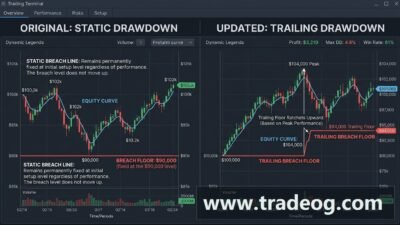

[…] For an exhaustive breakdown of how server architecture interacts with daily drawdown math, read our detailed guide on prop firm server time. […]
[…] Furthermore, because trading days reset based on specific timezones, entering the reset window with depressed equity can jeopardize your newly allocated daily buffer. Check our detailed guide on prop firm trading day reset and review the infrastructure mechanics in prop firm server time. […]