
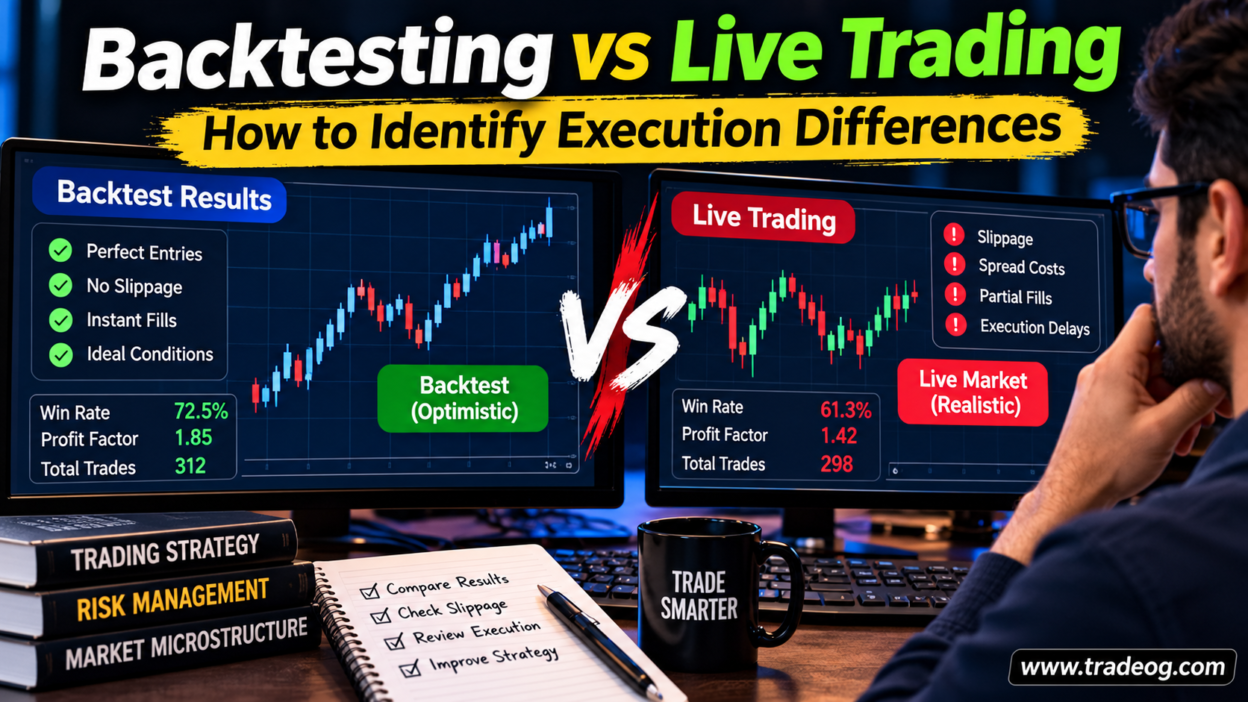
A strategy can look excellent in a backtest and then behave very differently once real money is involved. Trades that appeared to enter at the candle low may fill a little higher. A stop that looked precise in historical data may slip during a fast move. Even the number of trades can change when live prices do not match the historical feed.
That gap does not automatically mean the strategy is broken or that the broker is doing something wrong. It means the backtest and the live account may be modelling different conditions. The useful task is to find out exactly where the results diverge: price data, order timing, spread, slippage, fills, costs or strategy logic.
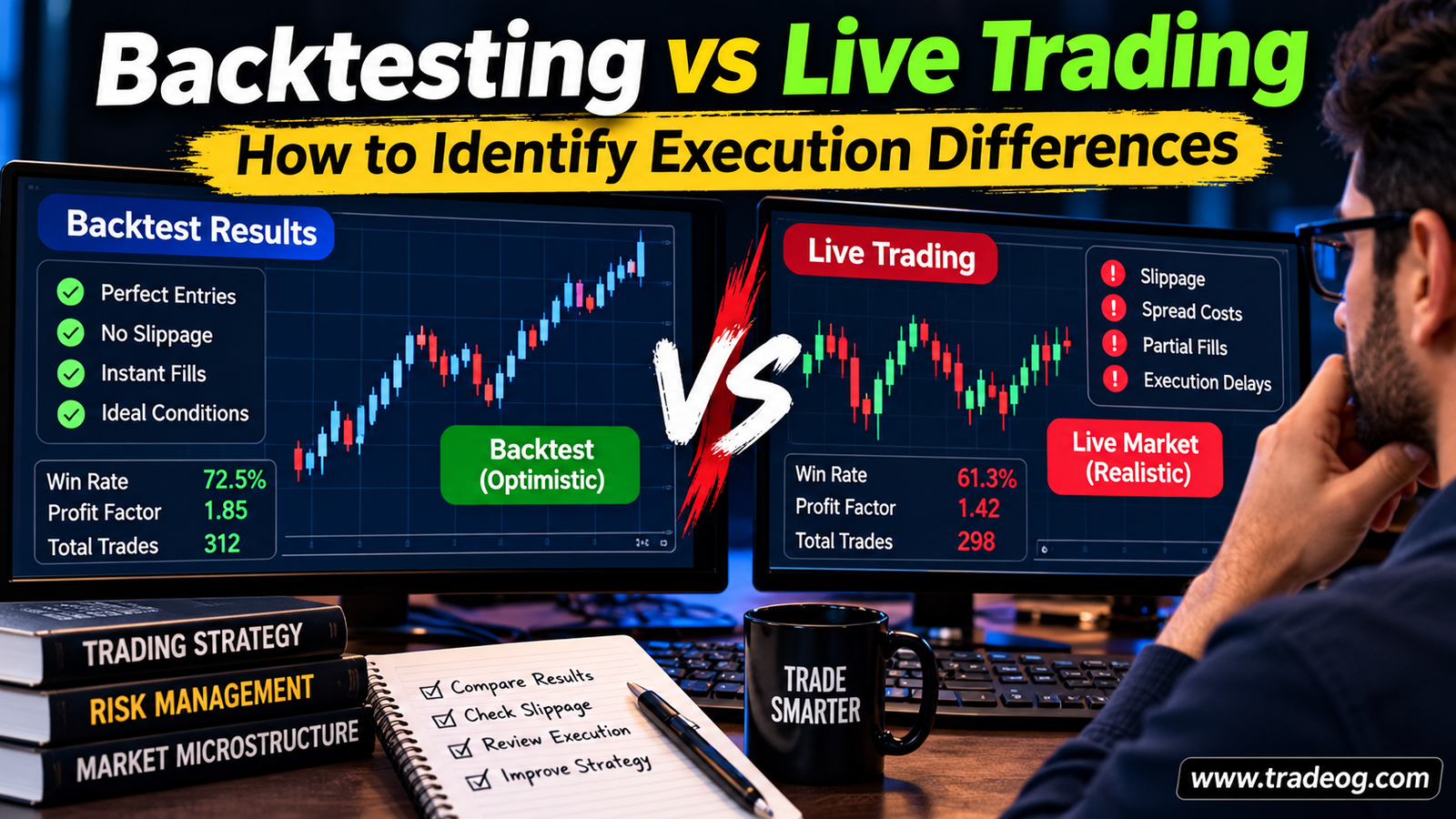
Backtesting and live trading are not the same environment
A backtest applies your strategy rules to historical data. Depending on the platform and settings, it may simulate orders using candle prices, tick data, a fixed spread, commission assumptions and a particular fill model. A live account sends orders into current market conditions, where prices, spreads, available liquidity and processing time can change.
Here are the main differences worth investigating:
- Historical data: the tested feed may not match the broker’s live quotes.
- Spread: the backtest may use a fixed or simplified spread, while live spreads vary.
- Slippage: the historical fill may assume the requested price, while a live order can fill elsewhere.
- Order handling: limit orders may not fill, market orders may slip and orders can be partially filled or rejected.
- Latency: live execution includes network and server processing time.
- Costs: commissions, swaps, financing and currency conversion may be missing or understated.
- Strategy implementation: code, settings or alert-to-order handling may differ between the test and live environment.
1. Start by matching the market data
Before changing your strategy, confirm that the backtest and live account use comparable data. Check the symbol, contract specification, candle time zone, session hours, price precision and historical feed. This matters particularly for forex and CFDs, where providers can show different highs, lows and spreads.
If you developed a setup on one chart provider but execute through a different broker, the two feeds may not print the same tick. A small price difference can change whether a limit order fills, a stop is triggered or a candle-based condition becomes true.
For short-term strategies, use the most detailed reliable data available. Candle-only tests cannot reconstruct every intrabar price path. If both a stop-loss and take-profit fall within one candle, the test needs a defined assumption about which was reached first. Tick-level data can improve the test, but it still cannot reproduce every live liquidity and execution condition.
2. Audit spread and commission assumptions
A strategy with a small profit target is particularly sensitive to transaction costs. If a backtest uses a one-pip spread but the live account often experiences a wider spread, the difference can consume much of the expected edge. Commission can have the same effect when it is left out of the test.
Record the actual spread around entry and exit times, then compare it with the spread assumed in the backtest. Use realistic values for the instrument and session rather than choosing the broker’s best advertised number. Include commission on the correct side or sides of each trade according to how your platform reports it.
Do not count the same cost twice. Some platforms calculate historical profit and loss using spread already, while others require additional cost settings. Confirm how your tester treats spread, commission and swap before adding anything manually.
3. Measure slippage instead of guessing
Slippage is the difference between the reference price when an order is submitted and its actual fill price. It can be favourable or unfavourable. Keep both in your records, but use a consistent sign convention so the comparison is meaningful.
For a practical audit, save the requested or executable reference price, actual fill, order side, timestamp, order type and position size. Calculate slippage in pips or ticks using the instrument’s specifications. Then compare the average, median, adverse outliers and the percentage of orders that received price improvement.
Separate ordinary market conditions from news releases, session opens and periods of thin liquidity. A single average can hide the fact that nearly all the extra cost occurs during a small number of volatile periods. If your strategy trades those periods, that cost is part of its real performance.
4. Check whether the same orders would have filled
Backtests often assume a fill when the historical price touches an entry level. In live trading, the order may not fill because the relevant Bid or Ask never reached the trigger, the quote came from a different feed, liquidity was insufficient or the order was not active at that moment.
Limit orders and stop orders should not be treated as interchangeable. A limit order seeks its limit price or better and may remain unfilled. A stop order generally activates once its trigger condition is met and may then execute at a worse price if the market moves quickly. The exact rules depend on the product and broker.
Compare the number of signals, orders submitted, accepted orders, filled orders and completed trades. This separates a signal-generation problem from an execution problem. Record missed entries too; looking only at filled trades can make the live strategy appear better than it is.
5. Review execution timing and latency
In a live system, the signal appears, the software submits an order, the broker receives it and the execution system processes it. Price can move during that sequence. The delay may involve the trader’s device, internet connection, platform, broker server or external automation.
If reliable timestamps are available, measure the time between signal generation, order submission, broker acknowledgement and fill. Keep the timestamps in the same time zone and use a consistent clock source. A platform’s ping value is not necessarily the same as end-to-end order execution time.
For an automated strategy, inspect logs for duplicate alerts, delayed webhooks, rejected orders, connection interruptions and differences between the signal price and the order actually sent. Do not assume that the strategy’s chart marker represents the final live fill.
6. Use a trade-by-trade comparison sheet
Match backtest trades with live trades by signal time and instrument where possible. If a signal did not result in a live trade, record why instead of deleting it from the comparison. A simple sheet can include these columns:
| Field | What to compare |
|---|---|
| Signal time and direction | Did both systems generate the same setup? |
| Reference entry | What price did the test assume versus the live quote? |
| Actual fill | Did the live order fill, partially fill or remain unfilled? |
| Spread and commission | Were all costs included consistently? |
| Slippage | How far was the live fill from the reference price? |
| Exit and stop handling | Did the same exit condition occur, and at what price? |
| Net result | What remained after comparable costs? |
| Reason for difference | Data, spread, missed fill, latency, code or unknown |
Compare matched trades and also compare the full set of signals. A live account may take fewer trades because some limit orders do not fill. That changes the sample, not just the entry price, so a simple comparison of average winning trade can be misleading.
7. Re-run the backtest with realistic assumptions
Once you identify the likely causes, adjust the test instead of immediately rewriting the strategy. Use realistic variable spreads where supported, include commission and financing where relevant, and apply a sensible slippage model. Test the effect of missed limit fills and adverse stop execution when your platform allows it.
Run several scenarios rather than one supposedly perfect setting:
- Base case: the most defensible estimate of normal costs.
- Higher-cost case: wider spreads and more adverse slippage.
- Volatile-market case: worse fills and missed entries during fast conditions.
- Execution-delay case: a realistic delay between signal and order, if your testing tool supports it.
If a strategy only remains profitable under perfect fills and unusually low costs, its backtest is fragile. If it remains reasonably robust across plausible assumptions, that is stronger evidence—but still not a guarantee of future results.
8. Use forward testing before increasing risk
After backtesting, run the strategy in a demo account or with the smallest sensible live size. Record every signal, order attempt, fill and cost for a pre-defined period or sample. Avoid changing rules halfway through the test, because that makes it difficult to tell whether the results came from the strategy or the changes.
Compare net expectancy, drawdown, average trade, missed-entry rate and cost per trade—not just win rate. A strategy can have a similar win rate in live trading and still earn less because winners are smaller, losers are larger or fewer valid trades are filled.
Keep a separate record of differences you cannot explain. If the same discrepancy repeats, check the platform logs and broker execution reports before assuming the strategy itself is at fault.
What a live/backtest gap usually tells you
If entries differ but signals match, investigate data feeds, Bid/Ask rules and order fills first. If entries match but net results fall, inspect spread, commission, slippage and exits. If signals themselves differ, compare time zones, indicator calculations, candle construction, code versions and settings. This order of checks can save you from making unnecessary strategy changes.
The goal is not to make live trading match a perfect historical curve. It is to understand which assumptions were unrealistic and determine whether the strategy still has an edge after real execution costs.
Frequently asked questions
Why is my live trading result worse than my backtest?
Common reasons include variable spreads, commission, slippage, missed or partial fills, latency, different price feeds and optimistic assumptions in the tester. Compare trade records to identify which factors explain the gap.
Does tick-data backtesting guarantee live-like results?
No. Tick data can improve the representation of historical price movement, but it does not fully reproduce live liquidity, order routing, latency, rejected orders or every spread change.
How long should I forward-test a strategy?
Use a pre-defined period and enough trades to observe the strategy across relevant conditions. The appropriate sample depends on trading frequency and market behaviour; a short run with only a few trades is weak evidence.
Should I abandon a strategy if live results differ?
Not automatically. First identify whether the difference comes from execution, data, implementation or the strategy’s underlying edge. Reassess after realistic costs and forward-test evidence are included.
Risk note: Trading forex and CFDs involves substantial risk. Backtests are historical simulations and do not guarantee future performance. This article is educational and is not investment advice.